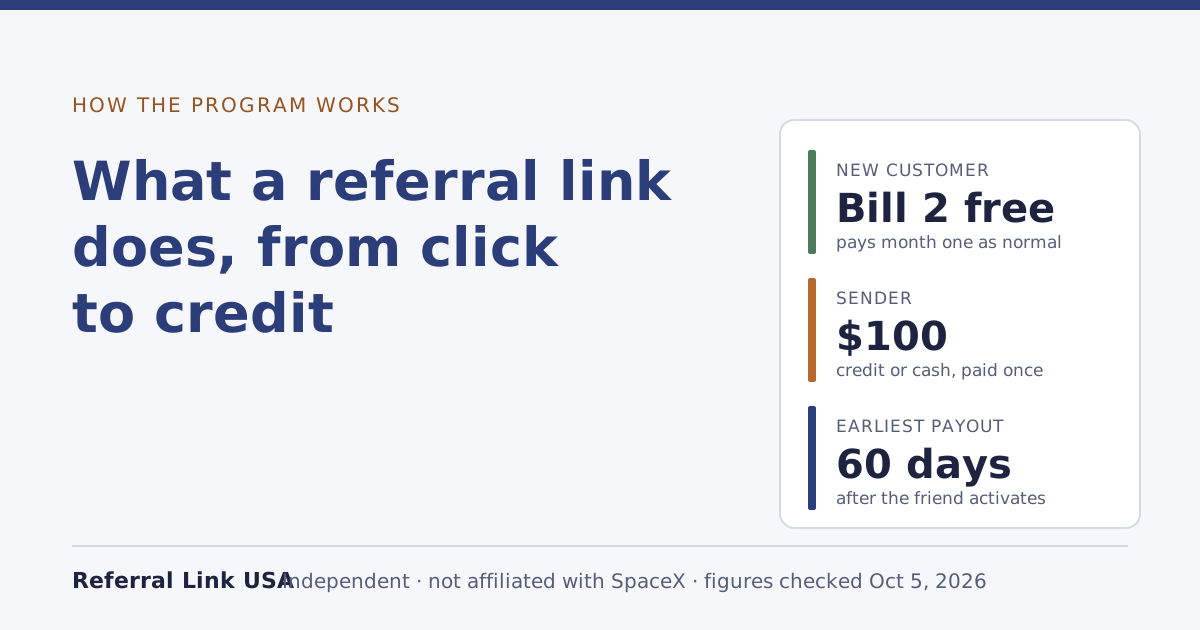
A Starlink referral link does one thing: it tags your order on starlink.com to the customer who sent it. If you’ve never had Starlink, order with that link and stay subscribed, you get one free month of service on the eligible plan picked at sign-up, credited on the second monthly bill, and the sender earns a reward of their own, $100. Nothing else about your order changes: same kit price, same plan price, and you pay the first month as normal.
That’s the short version. The rest of this guide follows the path step by step, because most confusion about referrals comes from not knowing which step you’re on, and which side of the referral a rule applies to.
The path, step by step
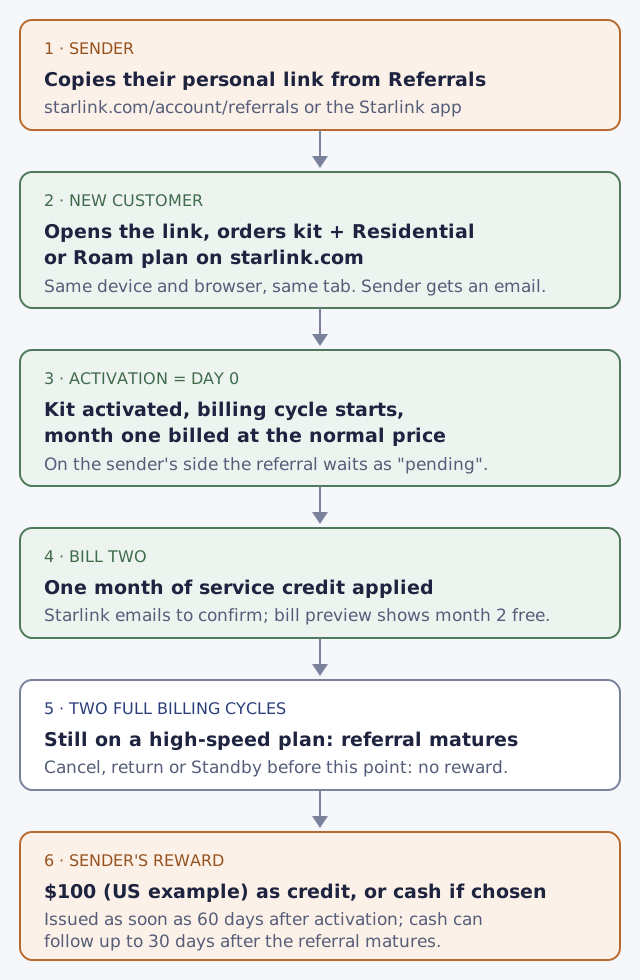
There are six steps, and they happen on two sides: the person ordering (the “referred subscriber” in the terms, the new customer here) and the existing customer who shared the link (the “referrer”, or sender).
1. The sender copies their own link
Every active customer gets a personalized link (or code) generated for each referrer in their Starlink account. They find it under Referrals: the Referrals section of your account (starlink.com/account/referrals) or the Referrals area of the Starlink app. Only customers on an active Residential or Roam plan can refer, so the person sending you a link has Starlink running at a US address right now. Owners who can’t find theirs can follow how to find your own link.
2. You open the link and order on starlink.com
This is the step that decides everything. The terms say the new customer orders the kit using the referrer's own link; no other referral method counts. There’s no field at checkout to type a friend’s name or email afterwards, and the terms rule out “any other referral mechanism”.
Two practical rules follow from that:
- Order where you clicked. Open the link on the device and browser you’ll pay with, and finish the order in that same tab. If you tap the link on your phone and order later on a laptop, the laptop’s order may carry no referral at all. The different-device guide covers how to check before you pay.
- Order on starlink.com only. The new customer buys the kit and plan directly on starlink.com, not at a store, reseller or by private transfer. A kit from a big-box store, a reseller or a neighbor can’t earn a referral, even if you clicked a link first.
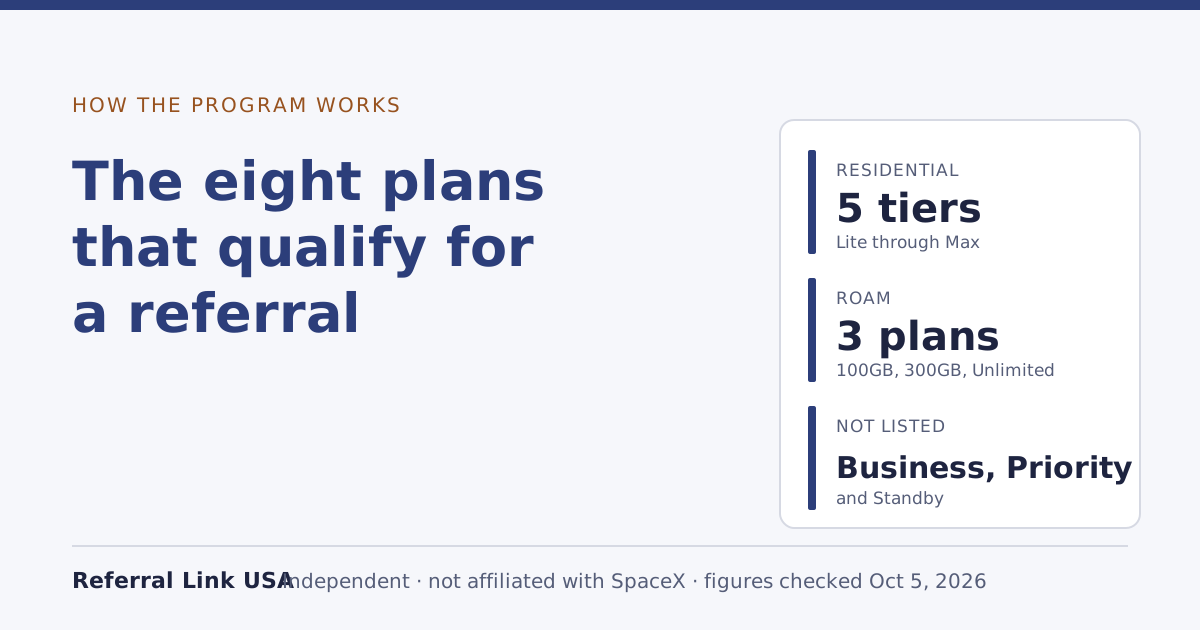
Your plan has to be one of the eight eligible ones: Residential Lite, Residential, Residential 100 Mbps, Residential 200 Mbps, Residential Max, Roam 100GB, Roam 300GB and Roam Unlimited. The eligible plans guide has the list with national prices and what’s left out.
The moment you order, the sender hears about it: you get an email when someone orders through your link. That email means an order happened, not that a reward is coming.
3. Activation starts the clock, and you pay month one
When the kit arrives and you set it up, your service activates. Starlink’s billing help page says your billing cycle begins on the day the kit is first activated, and the first invoice is charged that day. If you don’t activate, the same page says service is activated automatically 7 days after delivery.
This is the step that surprises people: the new customer pays for the first month as normal. Starlink’s help center gives the reason in its own words: activation “is part of confirming the referral is legitimate.” The free month isn’t month one.
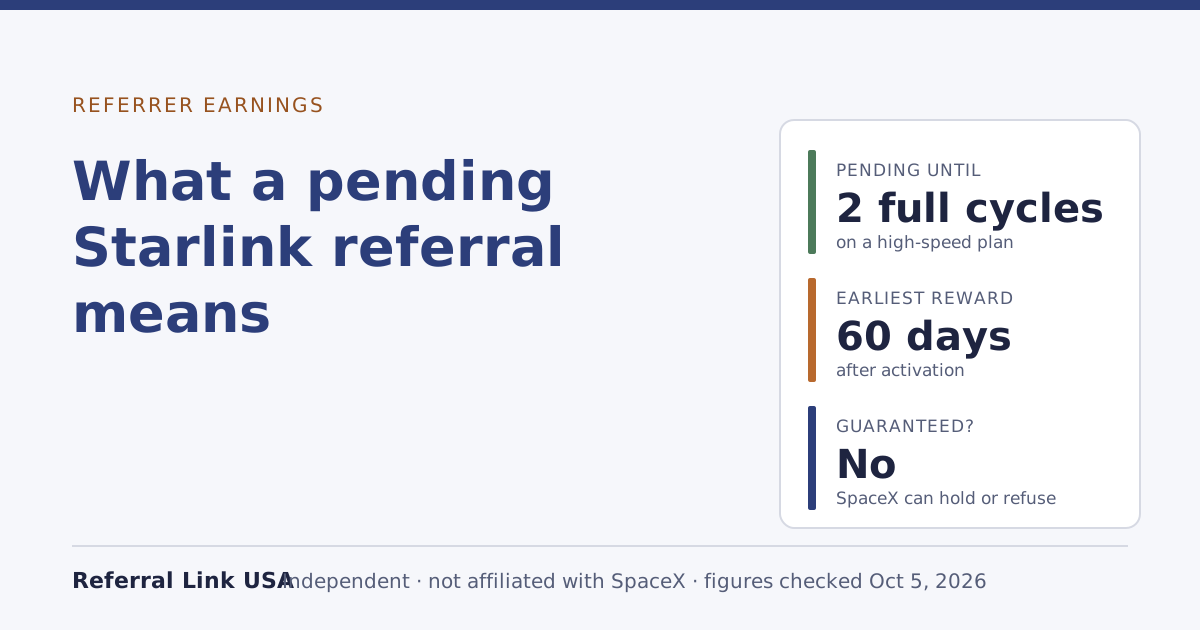
From here, the sender’s side of the referral is “pending”. It isn’t a reward yet. It’s a referral waiting to see whether you stay.
4. Your free month lands on bill two
At your second monthly invoice, one month of service credit is applied. The help center says Starlink emails the new customer when the free month is confirmed; the account's bill preview shows month 2 as free. The credit is worth one month of the plan you picked at sign-up.
As a worked example with the national list prices in our data file: on Residential 100 Mbps, listed at $55/mo, the credit is worth one month at that price; on Residential Max, listed at $130/mo, it’s worth one month of Max. Prices at your address can differ, and Starlink shows the real figure at checkout.
5. Two full billing cycles: the referral matures
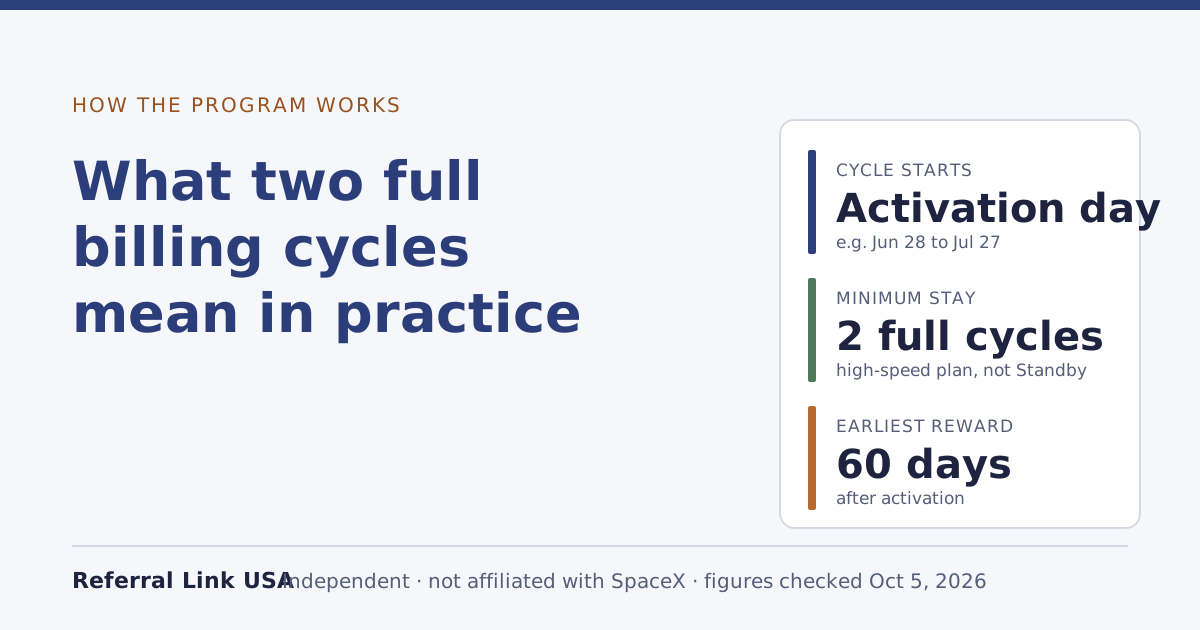
The new customer stays on a high-speed plan (not Standby) for two full monthly billing cycles. “Two full monthly billing cycles” counts from your activation date. With an activation on June 28, the first cycle runs June 28 to July 27 and the second July 28 to August 27, using the example dates on Starlink’s billing page. Only after that does the sender’s pending referral become an “eligible referral”. The two billing cycles guide works through more dates, including activations on the 29th to 31st.
If you cancel, return the kit, or drop to Standby before then, the referral doesn’t mature. You’ve still had your free month if you reached bill two; the sender gets nothing.
6. The sender’s reward is issued
Once the referral matures, the sender is paid once. Starlink’s US example is $100, and the exact reward amount is the one shown in your Starlink account. It arrives as service credit unless they switched to cash: rewards arrive as service credit unless you choose cash. The help center says rewards are issued as soon as 60 days after the friend activates, and for cash, the terms add that cash can be paid up to 30 days after the referral matures.
Your free month doesn’t depend on their choice: the new customer still gets the free month if the referrer takes cash.
Both sides at a glance
| New customer (you) | Sender (existing customer) | |
|---|---|---|
| What you get | One free month of service on the eligible plan picked at sign-up | $100 |
| When | Credited on the second monthly bill | As soon as 60 days after your activation |
| Paid as | Service credit on your bill | Service credit by default, cash if they opt in |
| Condition | Never had Starlink; US address; ordered on starlink.com through the link | Keeps their own high-speed plan active until the referral matures |
| Condition you share | You stay two full billing cycles on a high-speed plan | Same: no maturity, no reward |
What a referral link doesn’t do
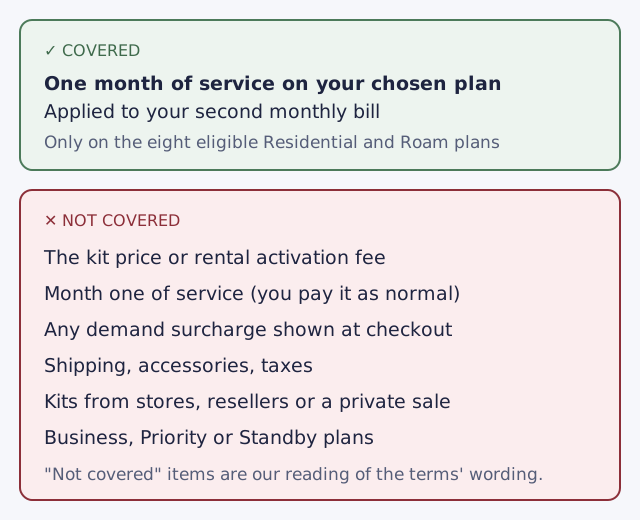
- It isn’t a hardware discount. In our reading of the terms, the referral gives no money off the kit, rental activation or any surcharge; it is one month of service creditour reading. If you see “referral discount on the dish” somewhere, it’s either an old page or wrong.
- It doesn’t lock you in. The minimum stay is a condition for the referral, not a contract term. Leaving early costs you the free month (if you leave before bill two) and costs the sender their reward; it doesn’t trigger a fee in the referral terms.
- It doesn’t make the sender responsible for anything. The terms say the referrer's role is limited to sharing the link; all quoting and billing happens between SpaceX and the customer. Questions about your order, bill or dish go to Starlink, not to the person who sent the link.
- It doesn’t work across borders. The new customer activates with a service address in the same country as the referrer's. A US link is for a US service address. Friends abroad need a link from someone in their own country; see friend outside the US.
- It can’t be added later. If you’ve already ordered without a link, read after ordering before you try anything drastic.
Who can’t use a referral link at all
Check these before you click, not after you’ve paid:
- Anyone who has had Starlink before. The new customer must be someone who has never been a Starlink subscriber, and the help center adds that existing and returning customers are not eligible. The new customer rule covers edge cases like a past return or a household member’s account.
- Businesses. The new customer is a natural person (an individual, not a business).
- People in a vulnerable situation, as the terms define it: the new customer is not experiencing financial hardship, domestic or family violence, or another vulnerability. This rule is aimed at senders, who must not target vulnerable people.
And one thing to know about the final word: SpaceX alone decides whether a referral counts, and its decision is final.
Common mistakes that break the chain
- Clicking on one device, ordering on another. The most common way a referral silently fails.
- Building the order in a new tab or after closing the browser. Stay in the tab the link opened.
- Using a link from someone in another country. Same-country rule.
- Picking a plan outside the eight. No eligible plan, no credit.
- Pausing with Standby in the first two months. Standby isn’t a high-speed plan and stops the referral from maturing.
- Assuming month one is free. It isn’t, and that’s normal.
What we don’t know
Starlink doesn’t publish everything about how tracking works. Not stated anywhere we can find, as of our Oct 5, 2026 check:
- How long a referral link stays attached to your browser after you click it.
- Whether the checkout page shows a referral notice today. A 2023 version of the help center described one; the current pages don’t mention it. The changelog has the dated history.
- What happens if you open two different people’s links before ordering. The terms only say the order must be placed using the referrer’s link.
When something isn’t stated, the safest move is the boring one: click one link, on the device you’ll pay with, and order straight away.
What to do next
- Ordering soon? Make sure you’ve never had a Starlink account, check your plan is one of the eight, then open the link on the device you’ll pay with and finish in that tab.
- Already ordered without a link? See Starlink referral after ordering.
- You’re the sender? The owner’s guide to the reward covers what earns it and what cancels it, and what a pending referral means explains the wait.
- Want every rule in one place? The full program explainer and the glossary have them, each with the date we last read it.